TM SIM Registration Link Online (Sim Card TM Portal)
How to Register a TM SIM Card? Why TM SIM Registration is important factor? Access number of TM, visit this link (https://www.tmtambayan.ph/products/sim), following step by step and confirm verification.
tm sim registration portal
Registration make quickly as visiting official portal (https://www.globe.com.ph/register-sim-card)
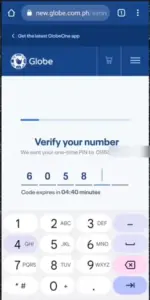
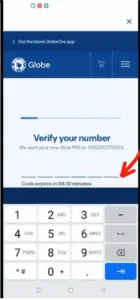
Enter OPT Code, get after providing your Number on the Web Portal.
Filling online form first type your SIM card Number
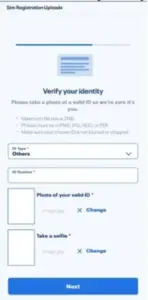
Upload all required documents in verification process, a photo of your ID Card, and a clear scan photo of your face.
You will give personal details such as your present address
SIM Card Registration Act 11934 enforced in the Philippines, requires all telecommunication companies and all users to register their SIM cards with personal details, for registration of their SIMS can reduce crimes, using unregistered Sims Cards, fraud, and made enhance overall security.
TM SIM Registration Via Web Portal
Open Web Portal: on your mobile, go to the SIM Registration Portal like (www.tmregistration.com). then you will redirect on “new.globe.com.ph.simreg or Globe Sim Registration Page.
After login/sign up press the button (Register Your SIM) Type your phone number, then after the receiving OTP code, provide your OTP code to complete the verification process.
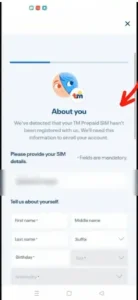
As such now, you will give all the required data, including Name, Birth registration date, Nationality, full address, and Gender or sex.
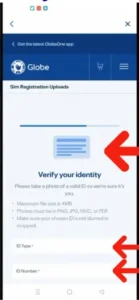
After you verify your identity, take clear photos of your Valid ID Card placed on a flat surface, and then take a clear selfie photo of your face to ensure your face image and ID are both visible.
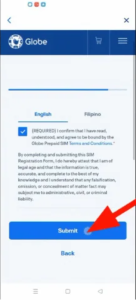
Review and Submit: Once again time, check all entered personal details to sure it is correct and (Submit) your registration.
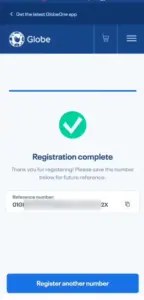
Validation Massage: An Sms will show on the Web Portal that your TM SIM has been registered via the Web Portal.
TM SIM Registration By GlobeOne App
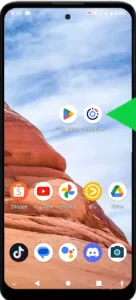
Open the Play Store, type the App name Globe One App then download or install, while the IOS user will use the App Store to download the App.
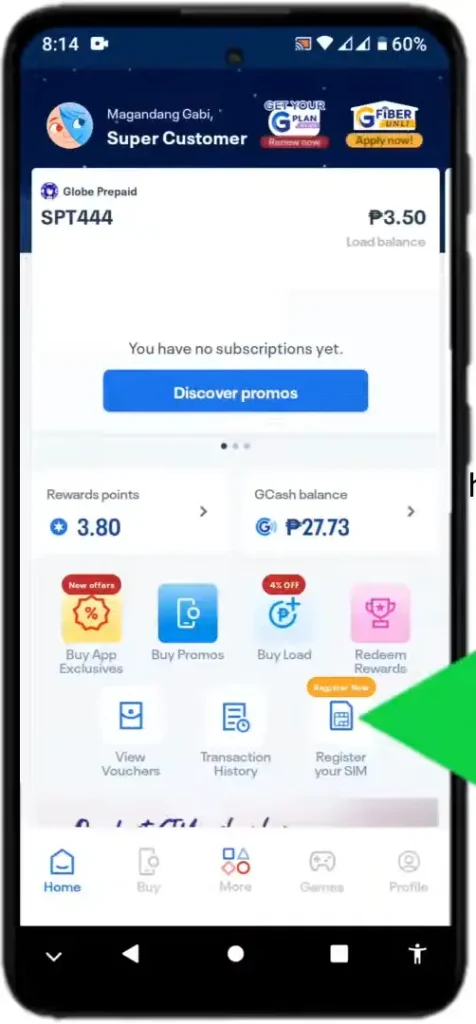
Opening this app you see an option to “Register your SIM now”
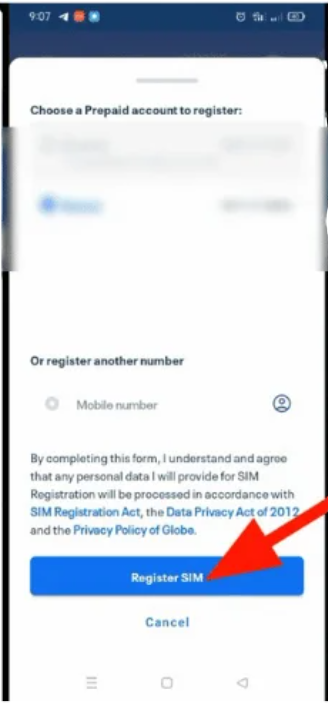
Put your Mobile contact you tick on the button “Register SIM”
Fill out the necessary information, and agree terms and conditions” I accept”
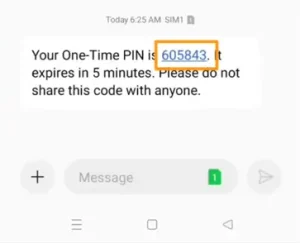
After that, I accepted, then an OTP in four or six digits, which will appear on your mobile massage app.
Confirm your number, and enter a (one-time password code) within in five minutes to finalize the verification process.
Tell about Yourself: filling an online form with the correct information as such, Date of Birth, Full name, Sex select male or female, and nationality, like after filling click the “Next” icon
Navigate on the option “Verify Your Identity”
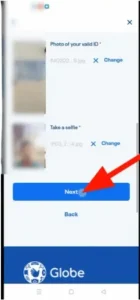
Taking a selfie photo of your face is fully visible, while an ID Card photo is also centered in the frame.
Hit “Next” option, “Terms and Conditions” Then hit Submit Button.
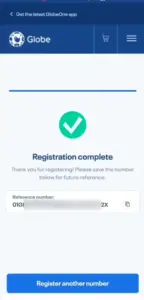
Now TM Registration Complete successfully.
While If you’re verified user of TM, unlocking freebies gifts as including Mula sa TM unli promos pinakabagong call, text, surf, at international promos
Personal Info Required
Full Name
Birthdate
nationality
ID Number
Present Adress
ID Card
Selfie photo of your face
Postal ID
POA
Board Resolution Representative
Senior Citizen ID
Acceptable IDS
Driver’s License
Voter ID
TIN ID
NBI Clearance
SSS ID
UMID Card
PWD ID
PRC ID
SSS ID
Senior Citizen CardCertificate of Barangay clearance
Other Government-issued ID
Company ID
Valid Passport
Official Customer Support
If you are facing error in SUN SIM or TM SIM Registration, further and want to get help resolving your issue you can connect to the Hotline (2)7730,1500, as well as you are a user of TM SIM service, then you will dial (808) code on your mobile phone, user can also check about Gomo SIM.
How to Activate TM SIM Card
To activate the TM SIM Card, must you follow some important instructions:
Insert SIM, first of all, your SIM accurately in the slot place and turn on your phone
Open SMS Appe: In the text body you will write “Activate” and send on the provided number of TM SIM.
Through Dialing Code: When activating your SIM Card, you can easily dial (*143#) code through which to get information about the Inserted SIM card.
Check Your Network Signals: as such via network signals check your SIM card
and restart your mobile phone.
Number & Deadline
Under the SIM Registration Act, All user should register their SIMS Cards like DITO Sim Registration, either in Philippines or out of the country or Minors 17, and any more users register before July 25, 2023, to protect their data and prevent fraud. Furthermore, if victimized in any trouble in this case you can contact TM SIM Support at (02)7730_1500.
TM SIM Card Promos (Call + Text +Data)
As TM also integrated with Globe network in Philippine so for latest rewards and offers you can check Unli Globe Promos Call.
Price
GB Data
Description
Validity
₱99
8GB data
unlimited text to all net works
7 Days
₱129
10 GB data
Unlimited Calls and Text to TM/ Globe
7 Days
₱50
EasySURF50
1GB Data + Unlimited Calls & Text
3 Days
₱99
ALLIN99
2GB data + Unlimited Calls, Text + 50 Other minutes
7 Days
TM Rewards points
Promo
Description
Required Rewards
SURF1GB
1GB data for 1 Day
10
REWUNLICALL
Unlimited Calls 1Day
2
REWCOMBO4
Unlimited Calls 1Day
4
SURF500MB
500MB Surfing 1Day
10
REWCOMBO10
Unlimited Calls, All Net Text + 100MB (1day)
6
FAQS
What is the price of a TM SIM Card in the Philippines?
The price of a TM SIM Card in the Philippines country is PHP130, with Up to 29GB of data & unlimited Net calls and text.
How I Can Register a TM SIM Card Online?
First, go to the Sim Registration Web Portal, give the correct mobile number, and press the button “Registration” Secondly, fill out the form with all required details, Thirdly, Upload a “Valid ID Card” and Your “selfie face photo,” and click “Submit”
What is the App for TM SIM Card?
As well as Via Globe One App, TM or Globe users can get many benefits such as paying bills, buying load, earning points with unlimited offers, activating promos, etc.
How to activate SIM TM?
To activate your TM SIM through easy guideline instructions such as via message in which you will create ‘”Activate” send on provided number of TM and open the dashboard of your mobile dial *143# and contact to official office of TM SIM (02)7730_1500.
How do I know if my SIM is Registered?
Open your text message app and write in the SMS body >SAGOT< send this on 8888, wait in few seconds for a confirmation message that your SIM has been already registered user.